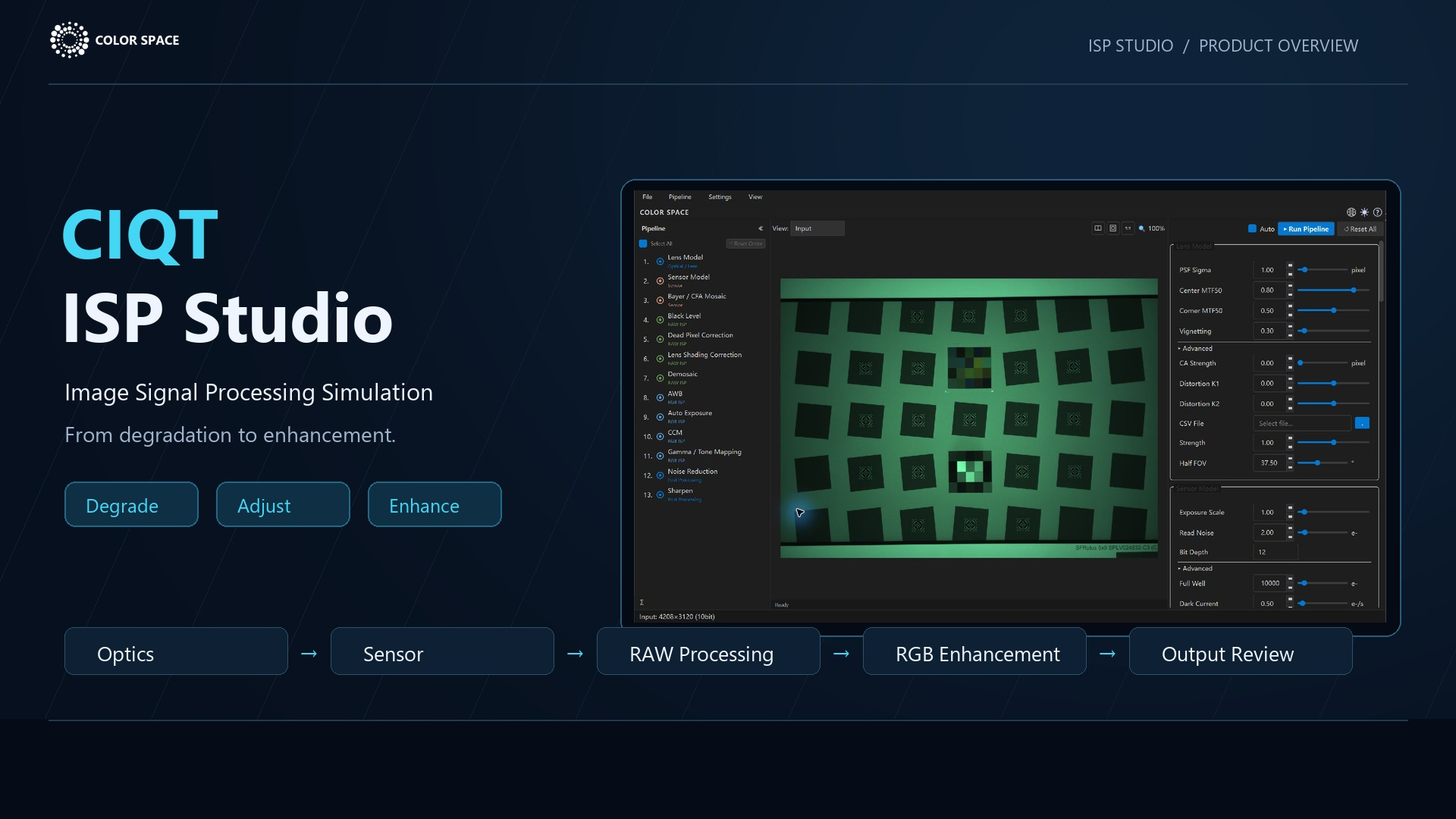
CIQT ISP Studio | Image Signal Processing Simulation
Product description: Simulate lens and sensor degradation, tune RAW processing and image enhancement, and compare results in a visual ISP pipeline for camera and lens development.
Make ISP development more visual
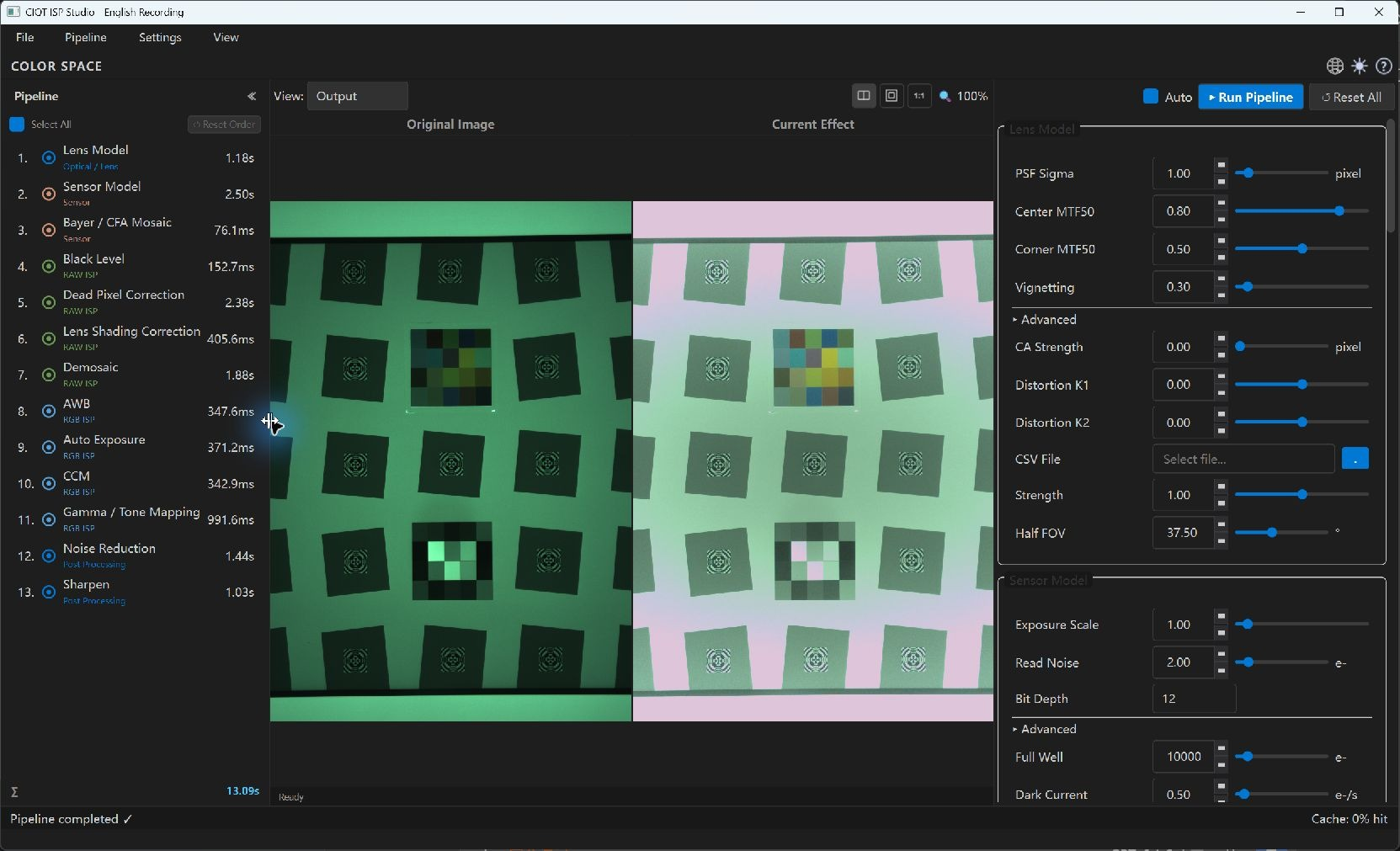
CIQT ISP Studio brings optics, sensor behavior, RAW processing, and RGB enhancement into one visual workflow for camera, lens, module, and ISP development. Adjust parameters, inspect intermediate stages, and compare input and output to support practical experiments and clear design discussions.
Product Overview Video
CIQT ISP Studio Product Overview | English narration and captions · 3:36Review image results and processing parameters in the same workspace.
Explore the imaging chain in one pipeline
Camera and lens degradation simulation
Explore lens blur, vignetting, chromatic aberration, and distortion alongside sensor exposure gain, full-well capacity, read noise, and dark current. A fixed random seed supports repeatable noise comparisons under matched conditions.
RAW input, Bayer sampling, and demosaicing
Match the input resolution, bit depth, byte order, and Bayer pattern to the source. Resample RGB images into a Bayer color filter array, then compare demosaicing methods to evaluate edges, texture, and false color.
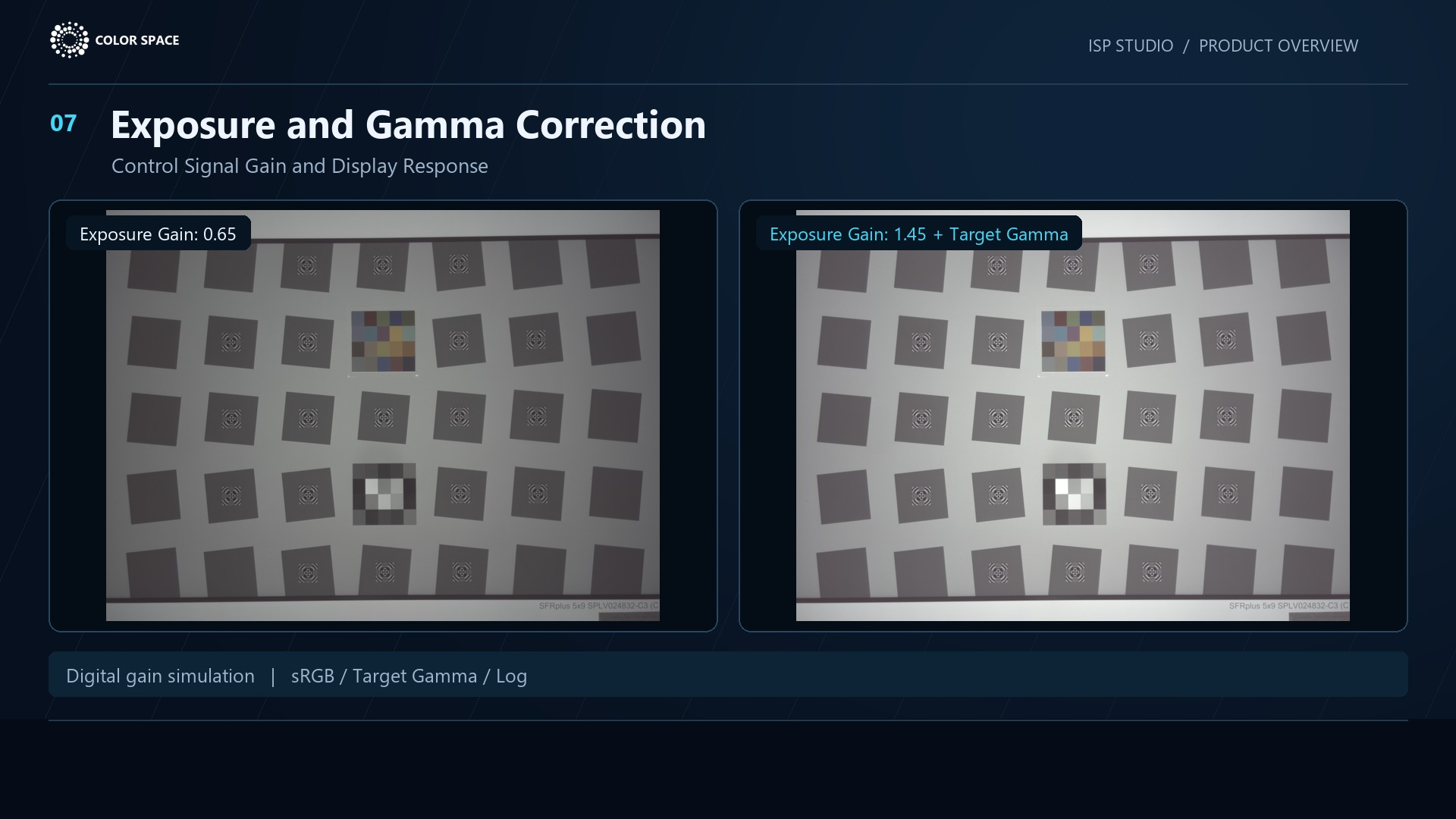
Compare brightness and tonal response as gain and gamma settings change.
Exposure, white balance, and color correction
Adjust overall brightness through exposure gain or automatic exposure, and compare sRGB, target gamma, and logarithmic response options. Combine white balance, a three-by-three color correction matrix, and saturation controls to evaluate neutral tones and color patches.
Tone mapping, bilateral filtering, and sharpening
Explore highlight compression, shadow lift, and contrast for high dynamic range scenes. Compare edge-preserving bilateral noise reduction against texture loss, and evaluate edge enhancement and unsharp masking for detail, overshoot, and halos.
Configurable stages and intermediate comparisons
Enable, bypass, or reorder modules to build a processing strategy. Switch between input, intermediate stages, and final output, then use side-by-side views to trace each change. Save project parameters and export result images for design reviews and technical discussions.
Where it fits
Use ISP Studio for imaging experiments, parameter tuning, algorithm demonstrations, and comparisons of processing strategies in camera and lens development. For haze or veiling-glare studies, import externally prepared degraded images to evaluate contrast and detail retention. This workflow uses external test inputs rather than a dedicated built-in haze module.
Request a demonstration
Contact info@colorspace.com.cn to discuss your input formats, processing workflow, and application needs.