


CMF Separator provides prepress and color-management specialists with a raster-focused workflow for print separation, multichannel ICC application, ink control and output verification. It combines profile application, channel inspection and reporting to help users compare separation results under defined printing conditions.
Connect target-profile selection, ink-channel adjustments and editable projects so prepress teams can review the conditions and changes behind each output.
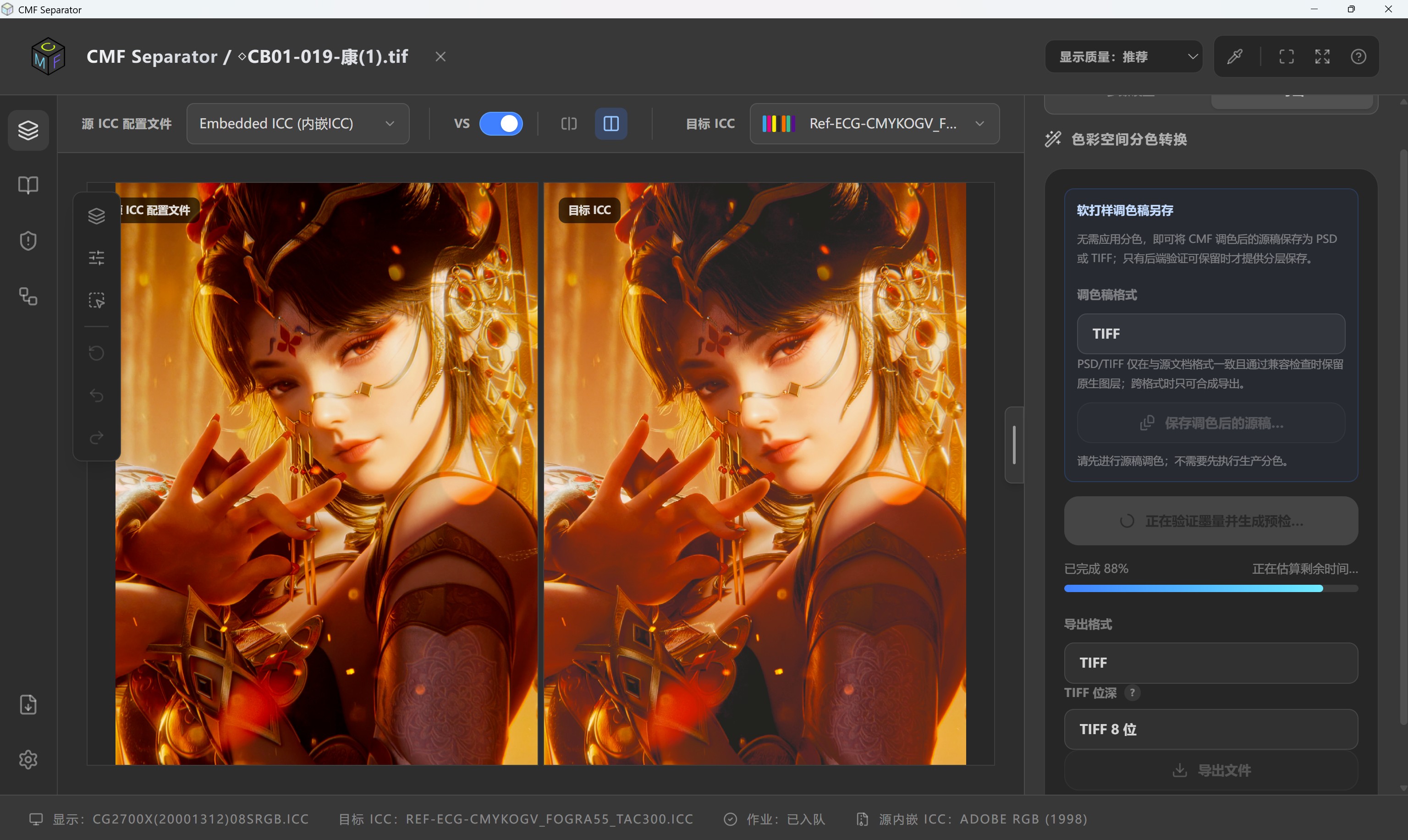
CMF Separator workspace — source/target comparison and separation output
Multichannel ICC separation
Convert RGB, Lab or CMYK raster images into 4–15-channel output in supported ICC workflows and export 8-bit or 16-bit TIFF. Source and target profiles and channel identities define the conversion for CMYK or extended-gamut work.
Source and target comparison
Compare color and detail changes using source/target views, channel previews and sample inspection. Multichannel TIFF comparison can analyze device values, total ink and ΔE00 differences under a common ICC interpretation.
Black generation and ink control
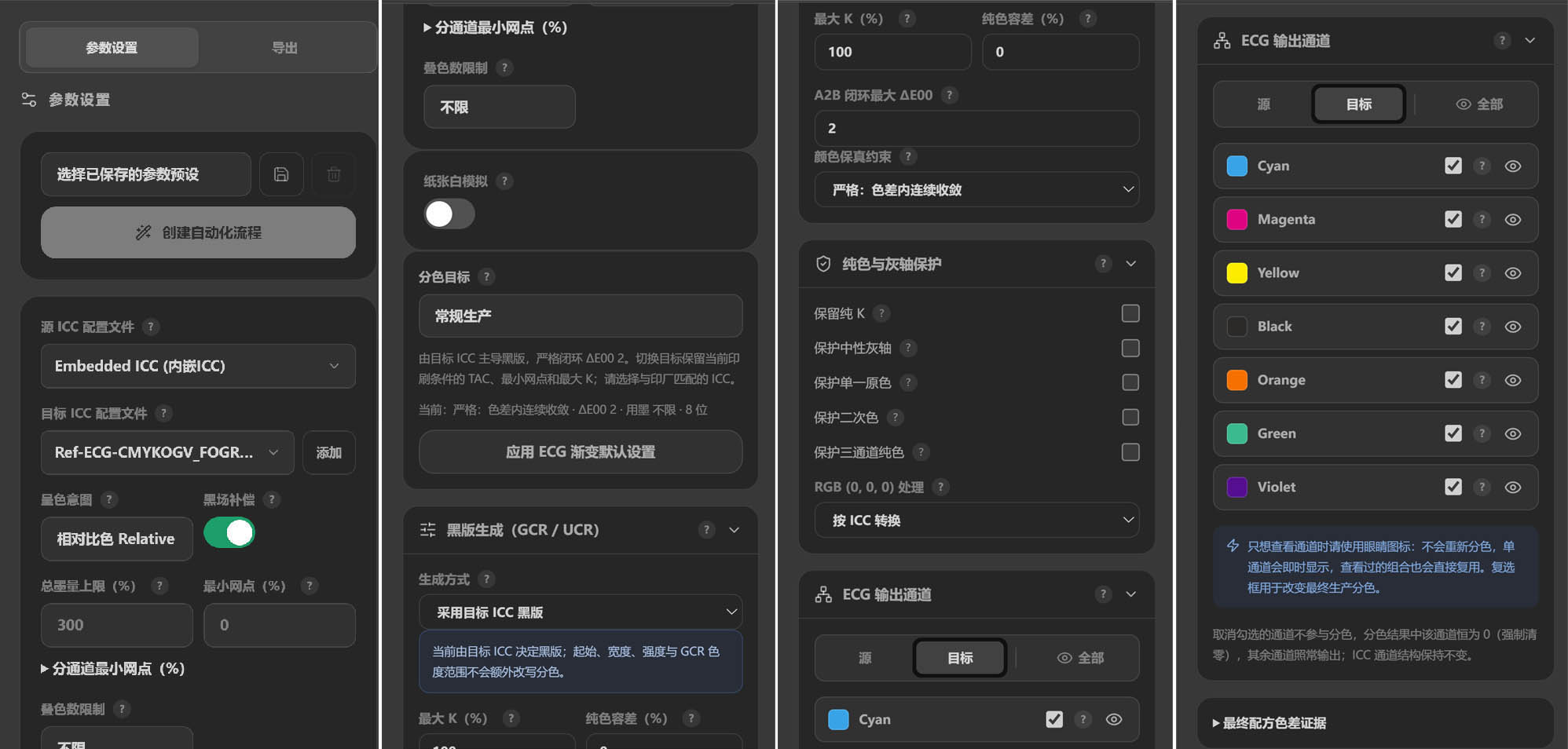
Configure constrained UCR/GCR, RGB black handling, pure-color and gray-axis policies, and inspect total area coverage (TAC) and minimum dots (MinDot). Evaluate ink-saving and channel adjustments against the intended printing condition and record the results.
Separation settings: target ICC, ink limits and ECG channels
Spot-color and ECG evaluation
Parse CxF candidate data and evaluate spot-color alternatives and extended-gamut options using target channels and available printing models. Results depend on complete data, correct channel identities and applicable process conditions.
Editable CMFPROJ projects
Keep separated TIFF data, the target ICC profile, optional layered RGB source artwork, adjustment layers and masks in an editable project. Retain the project for further editing and the final TIFF or PDF for output delivery.
Global and local ink-channel adjustments
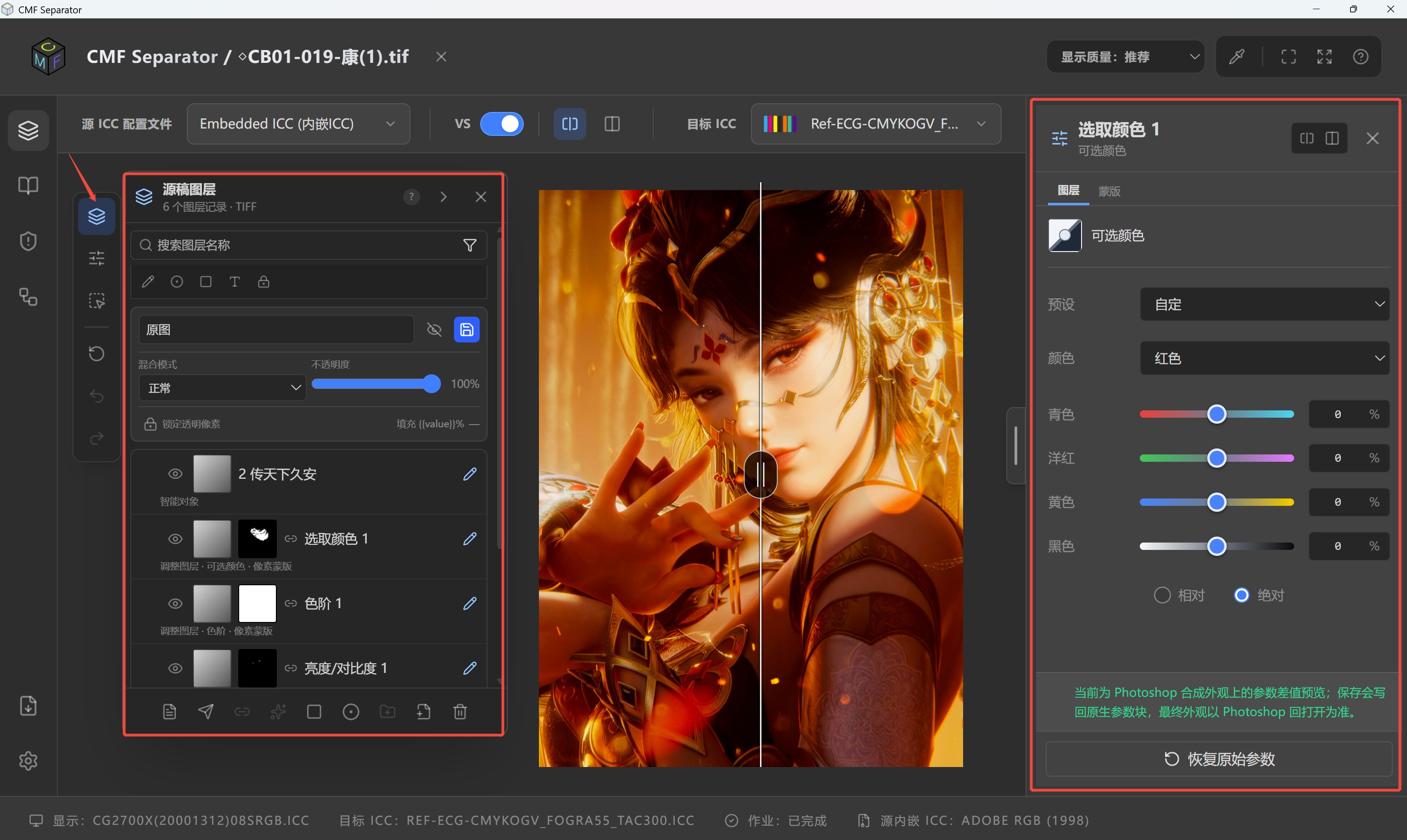
Adjust curves across all inks or individual channels such as C/M/Y/K/O/G/V. Create local ranges from supported source layers or named selections, configure mask feathering, density and inversion, and inspect the affected area through a mask overlay.
Layered-source editing and local adjustment workspace
Save, recover and review output
Save projects, create new copies and review recovery content. Output is evaluated from the current ECG layer stack. Export audit information to check profile, channel, layer-range and mask settings when reviewing revisions.
Batch processing and automation
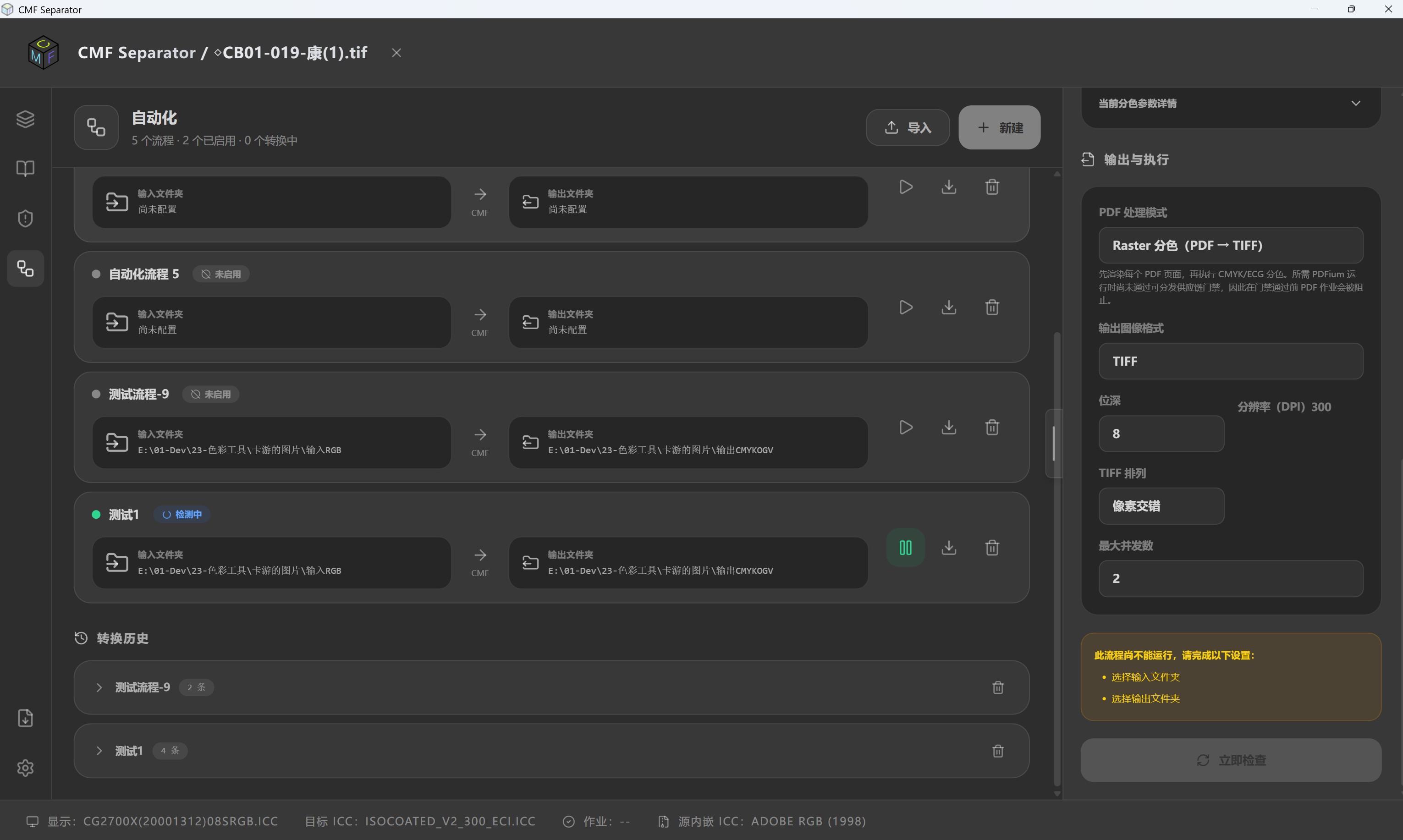
Edition-dependent batch raster processing, hot folders, command-line tools and report export support recurring conversion tasks. Keep processing parameters and inspection results together when applying established policies to multiple images.
Batch separation and automation workflow settings
Print separation of RGB/CMYK images, multichannel TIFF output, channel and ink inspection of existing separations, spot-color and ECG evaluation, and batch raster conversion.
Import an image and target profile → configure channels and separation policies → inspect previews and ink limits → export separated TIFF → compare results and save reports.
PDF input uses a limited single-page rasterization route that does not preserve original objects or source color spaces. It is unsuitable for object-level PDF conversion requiring retention of transparency, overprint and vector objects. ICC profiling is provided by the separate CMF Profiler application. Validate each production workflow with local process data and print trials.
Contact ColorSpace for a sample-file demonstration and edition details.
Contact: sales@colorspace.com.cn
Phone: 15817270587
Tel: 400-886-3881(周一至周五 9:00~18:00)
Email: sales@colorspace.com.cn
Add: South Building #2-1101, Lv Di Qi Hang Office Building, Hou Sha Yu, Shun Yi District, Beijing, China