



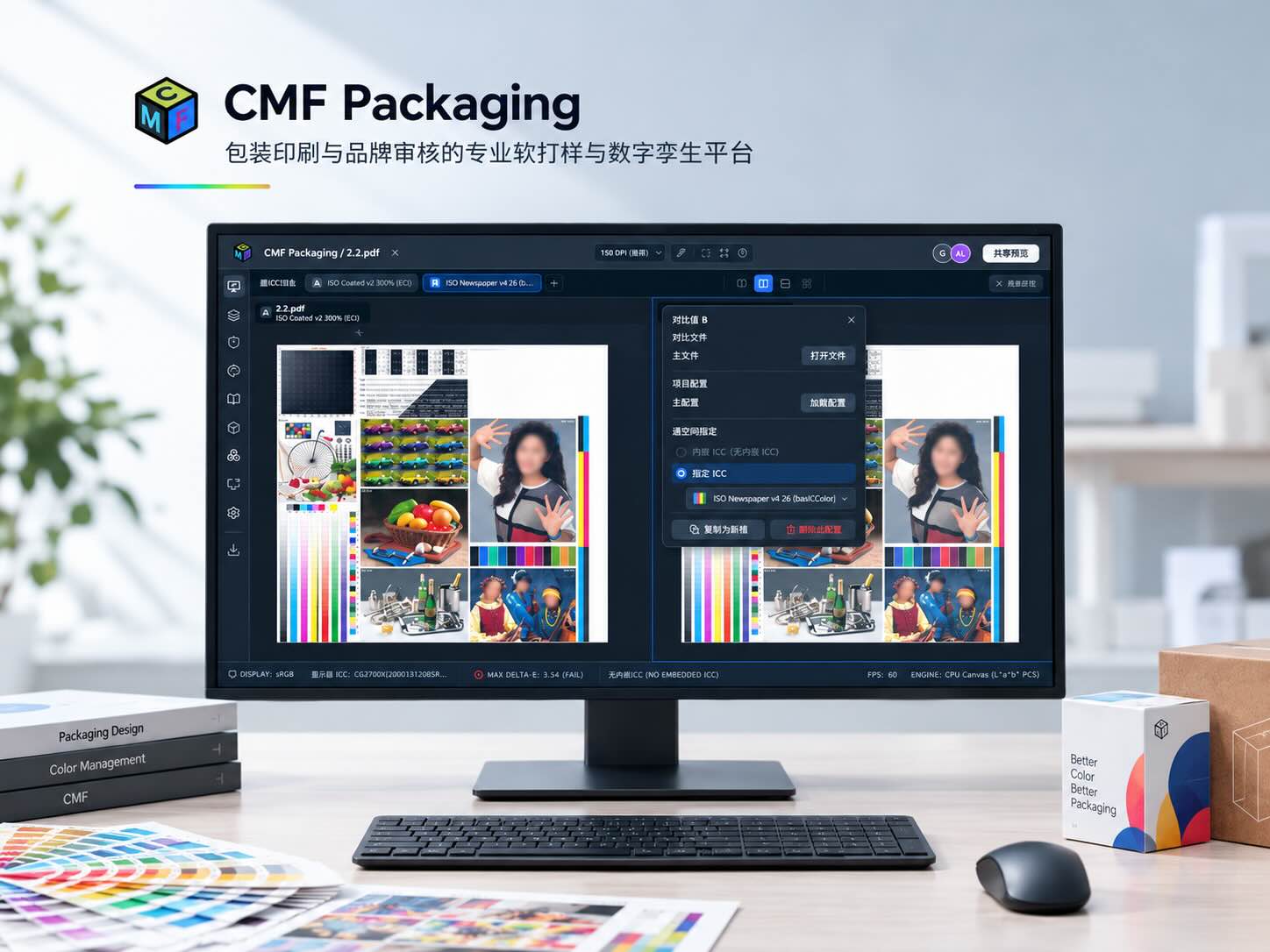
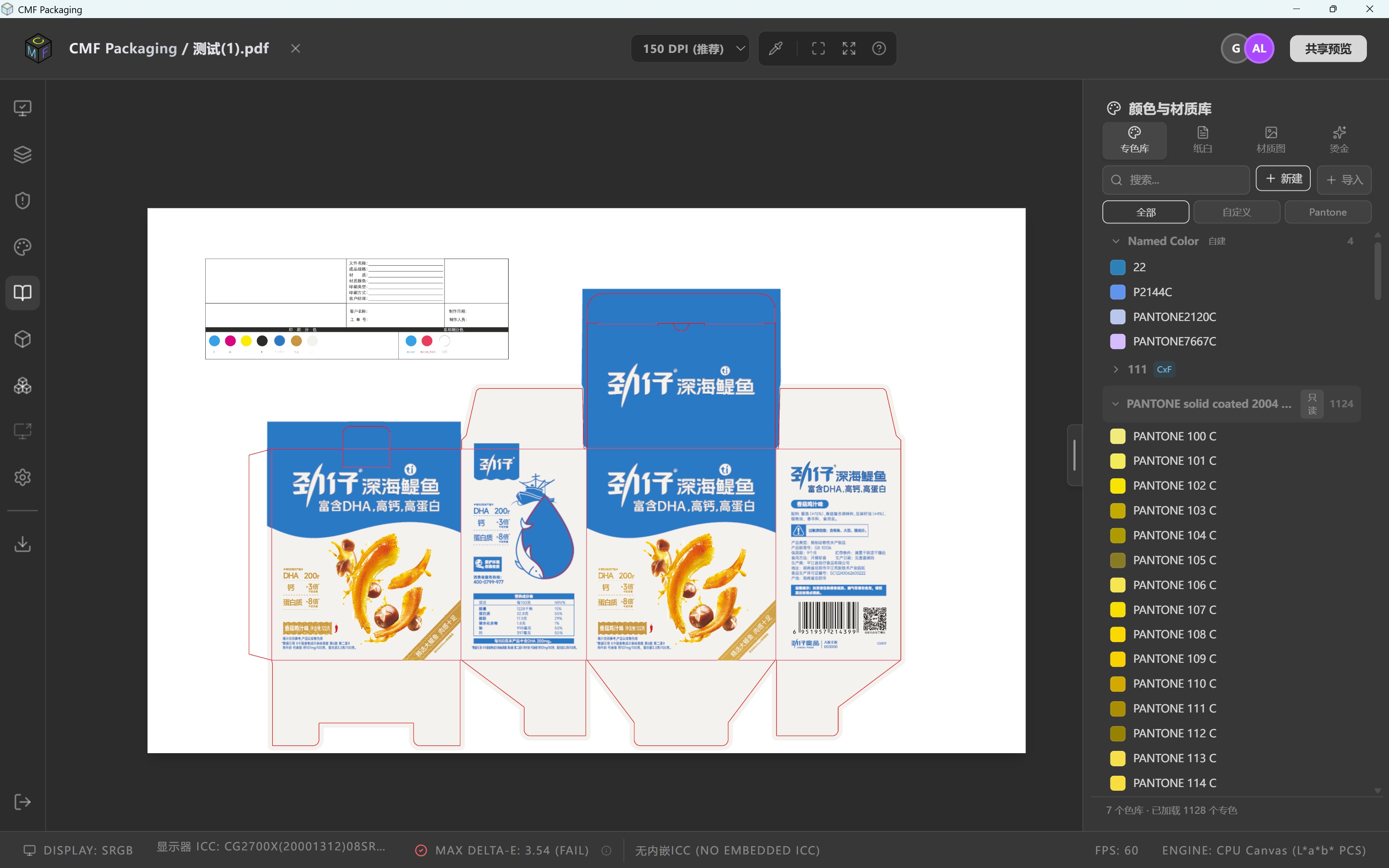
CMF Packaging caters to packaging printing, brand compliance review and pre‑press collaboration workflows. It consolidates PDF separation, ICC‑based color‑managed soft proofing, spot‑color & special‑effect visualization, preflight checking and packaging structure preview within one unified approval workflow.
It enables brand owners, design teams and converters to intuitively validate packaging appearances and review pre‑press status prior to production, so potential issues can be identified digitally at an earlier stage.
⦁ Reduce hard‑proof iterations and shorten approval lead‑times
⦁ Preview pre‑press risks including total area coverage (TAC), register misalignment and spot‑color substitution
⦁ Consolidate separations, colors, special effects and packaging structure in one view
⦁ Align brand, design and pre‑press teams around a single shared visual reference for communication
Review substrate appearance, finishing layers and package structure together. Use the preview gallery above to explore the main functions, then read the illustrated explanations below.
Combine paper-white settings, material textures and foil resources to communicate the appearance of paper, metallic surfaces and other substrates. Compare artwork with different material and finishing combinations. Visual simulation supports discussion; physical materials and production results still require verification.
Color and material resources: spot libraries, paper white, textures and foil
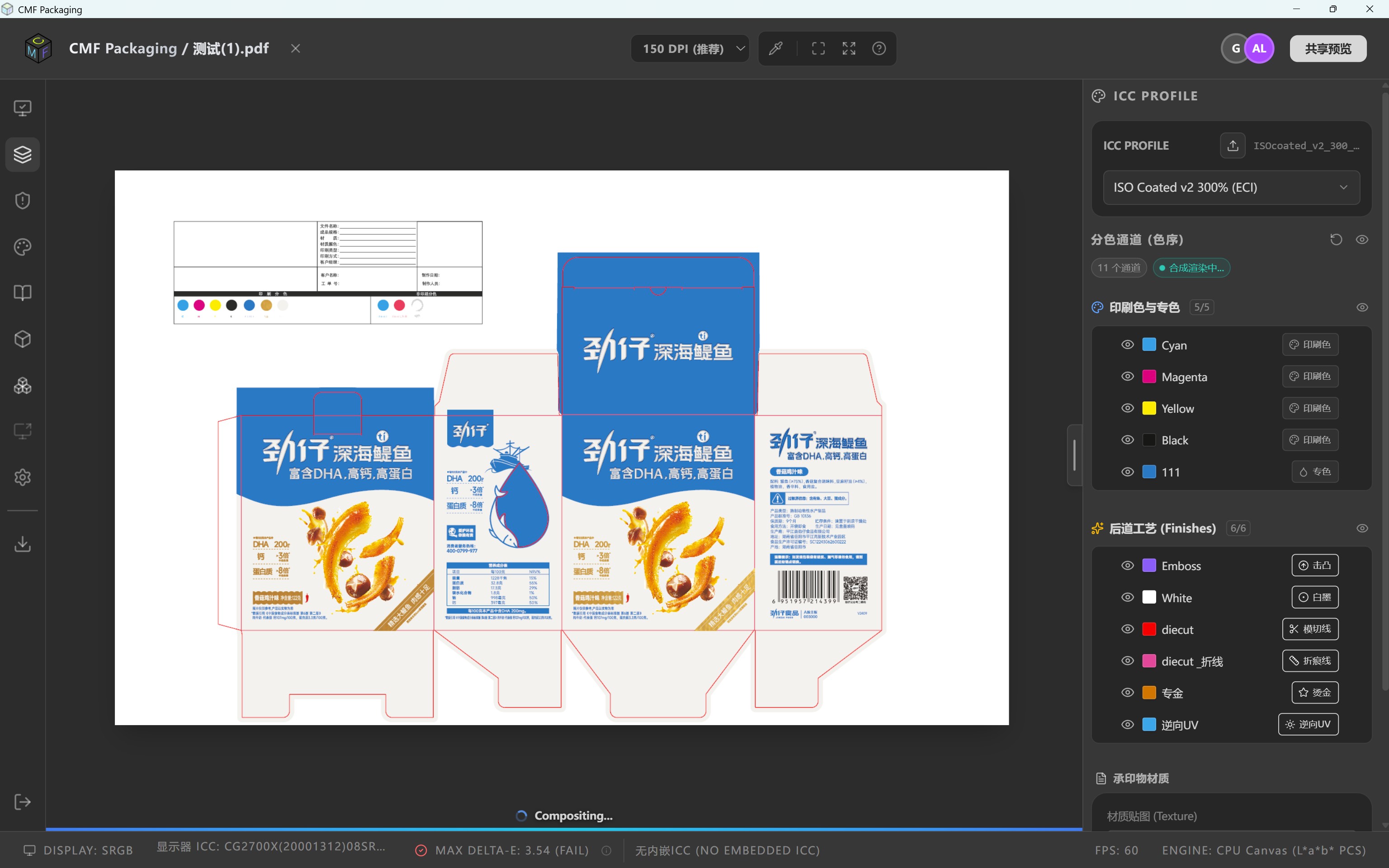
Manage CMYK and spot inks separately from finishing and structural roles. Assign white ink, foil, embossing, reverse UV, cutting lines and creases, then toggle individual channels to inspect coverage and alignment.
Actual channel setup: process inks, spot colors, embossing, white ink, cutting, creases, foil and reverse UV
Use finishing layers and material settings to visualize highlights, shading and reflections associated with foil, localized gloss, embossing and texture. Adjust lighting and viewing conditions to discuss surface effects. This complements the separate 3D structure preview. The image above shows the finishing-layer setup; a static image does not demonstrate the full dynamic lighting behavior.
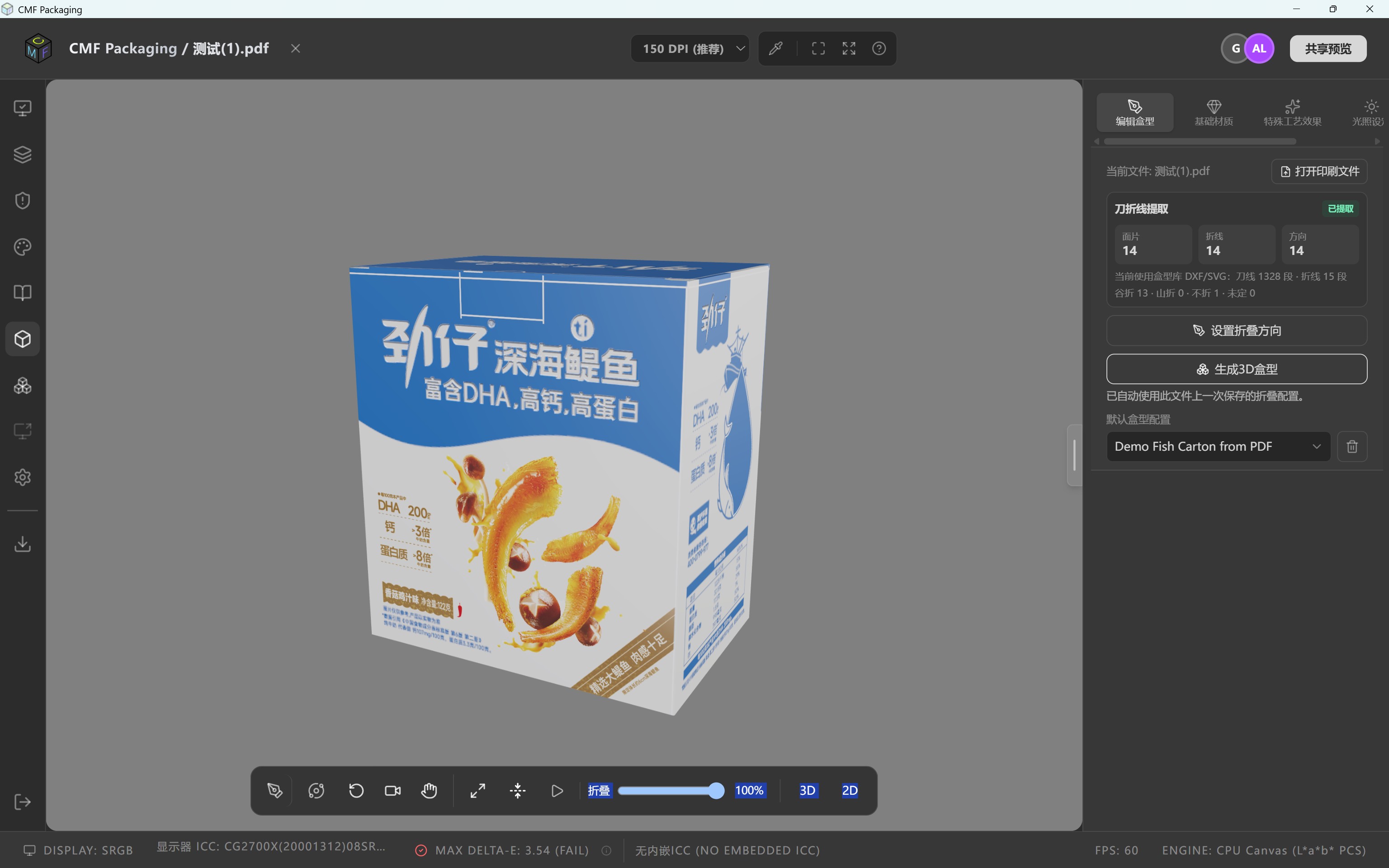
Map artwork onto a box structure using cutting lines, creases and folding directions. Review front, back and side panels, cross-fold artwork and folding relationships, with adjustable views and folding progress for design reviews and demonstrations.
3D packaging: artwork mapping, folding progress and structure review
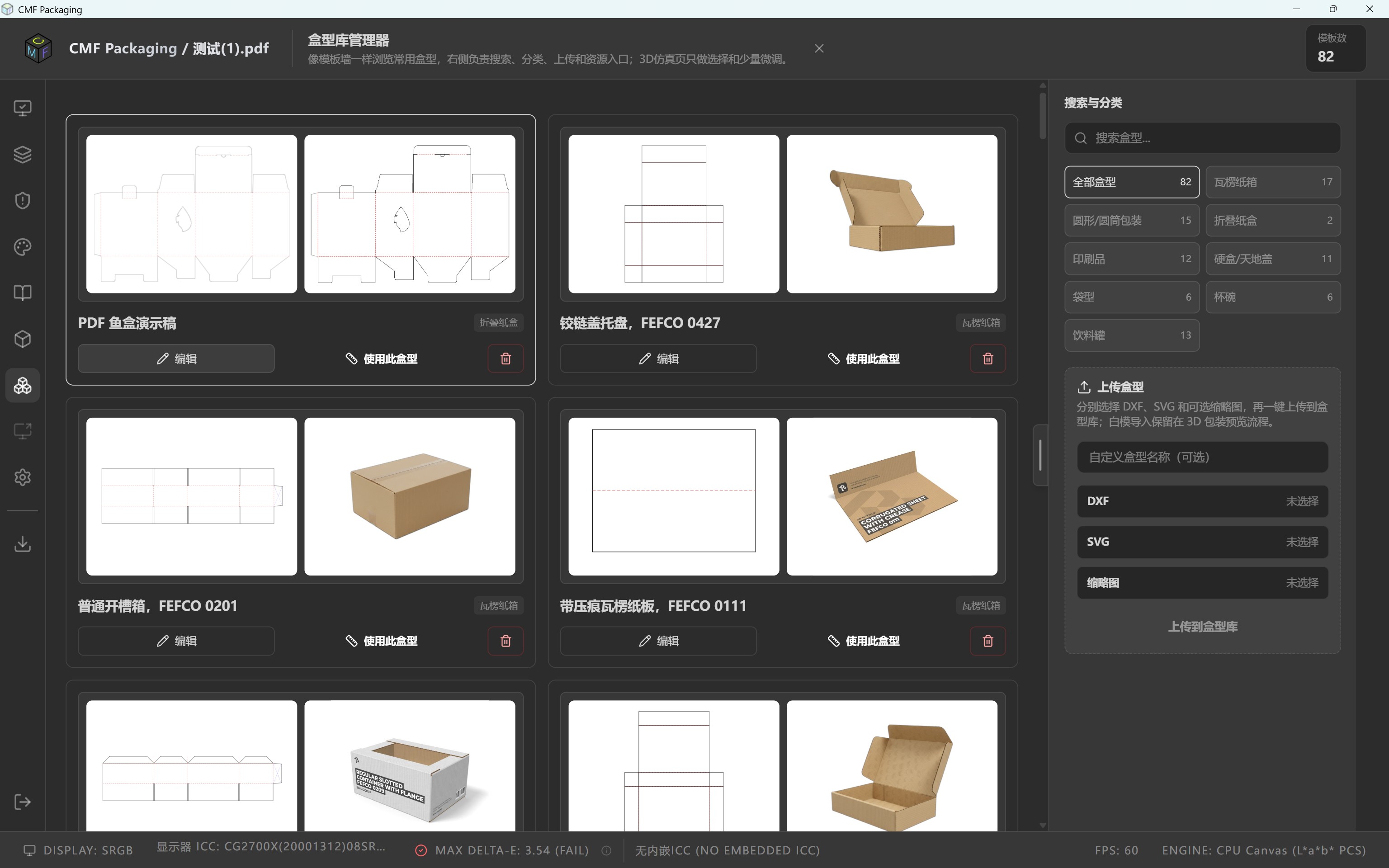
Box library: browse templates and open structure selection and editing
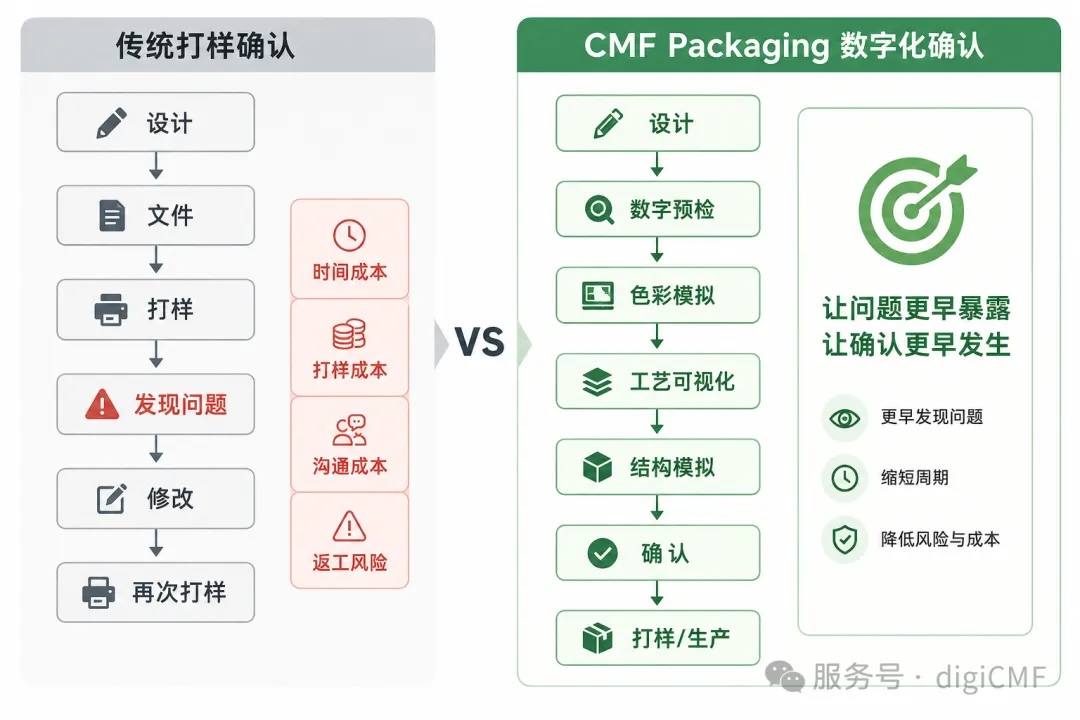
Finalizing packaging artwork does not mean the project is ready for manufacturing. Before going to press, files must go through multiple stages: color separation, color calibration, spot‑color setup, special‑effect handling, die‑line structure validation and printability assessment.
Real‑world projects frequently face these pain points:
⦁ Screen‑displayed spot‑color appearance deviates from final printed output
⦁ Special treatments such as spot colors, white ink, varnish, hot‑foil stamping and embossing cannot be intuitively visualized in early‑stage reviews
⦁ New defects emerge only after flat artwork is applied to die‑cut packaging structures
⦁ Critical checks for TAC, register misalignment and spot‑color substitution are pushed to late‑stage approval
⦁ Different stakeholders interpret the same artwork file inconsistently
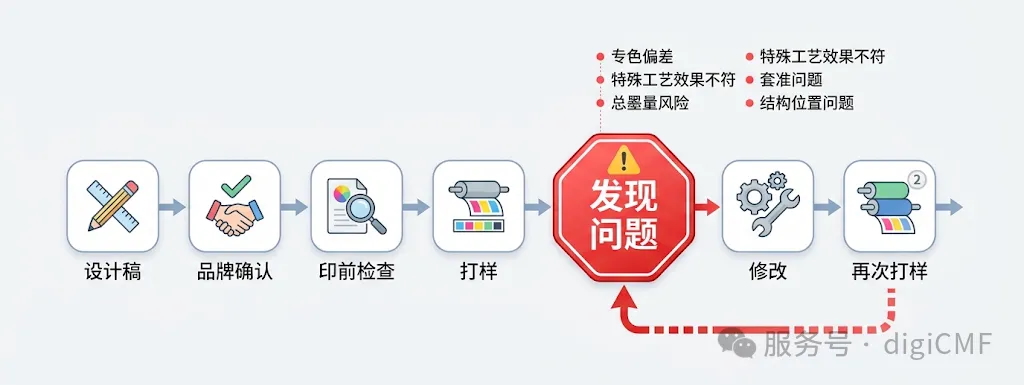
This often traps projects in a repeating loop: Design → Discussion → Hard Proof → Approval → Revision → Re‑proofing.
CMF Packaging moves part of these proof‑dependent validations into a digital environment for early review and assessment.
Standard PDF viewers only confirm file accessibility and page layout. Comprehensive packaging approval requires answering far more questions:
⦁ How will colors render in print?
⦁ How are individual printing channels distributed?⦁ How do spot colors and special finishing effects behave?
⦁ Are there hidden pre‑press risks embedded in the file?
⦁ How does flat artwork look when mapped onto the physical packaging structure?
CMF Packaging brings all these capabilities into a single visualization workspace, allowing designers, brand stakeholders and pre‑press operators to examine the same packaging asset from multiple perspectives.
⦁ PDF Separation & Channel Visualization
Quickly identify CMYK, spot‑color and special‑process channel data. View the distribution of individual printing separations to help pre‑press operators fully understand file makeup and lay the groundwork for downstream color and finishing approvals.
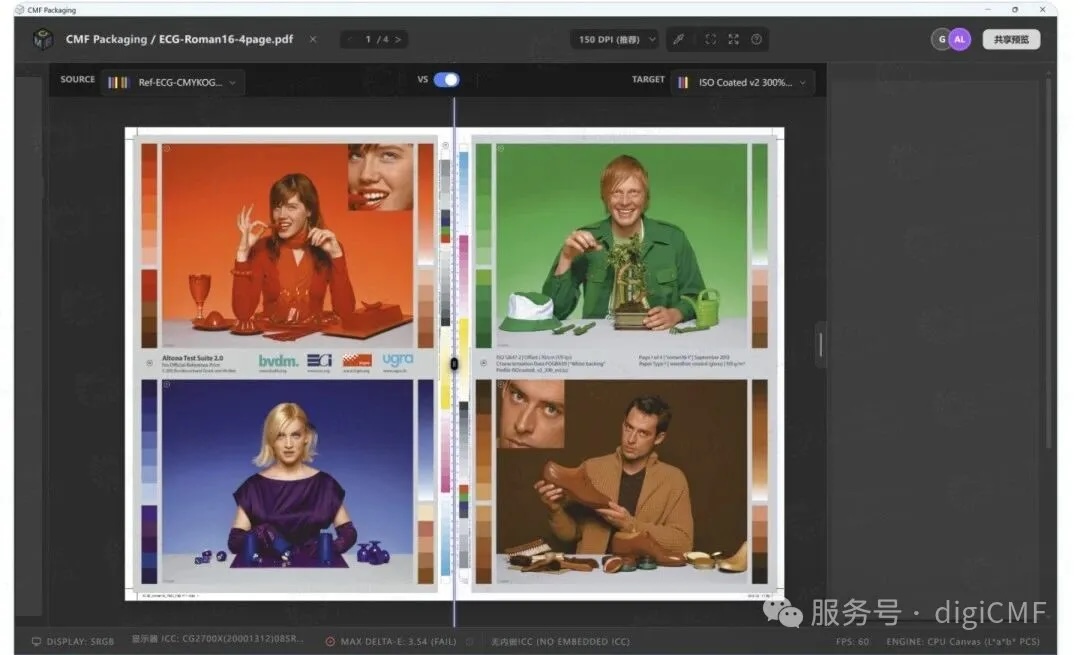
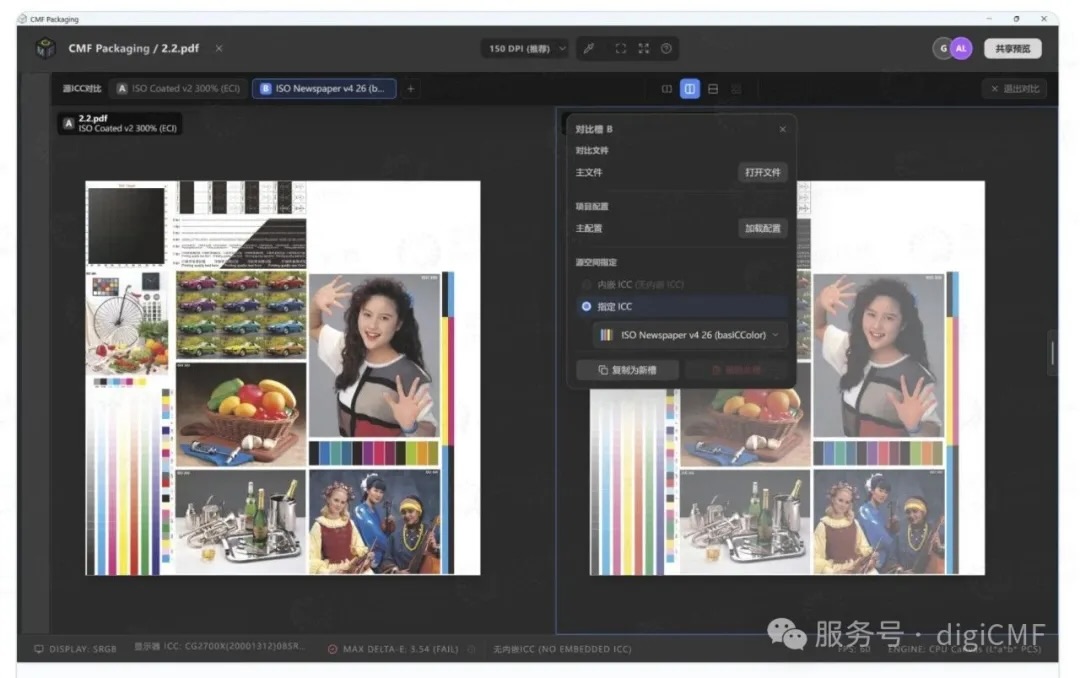
⦁ ICC‑Managed Soft Proofing
Bring professional color‑management workflows to packaging soft proofing. Leverage ICC profiles for on‑screen soft proofing, supporting brand, design and pre‑press teams to make color judgements before production.
Soft proofing serves for pre‑production visual review and cross‑team communication. Final printed results are subject to press equipment, substrate, inks and actual production conditions.
⦁ Spot‑Color & Special‑Finishing Visualization
Standard PDF previews cannot adequately represent spot colors and specialty finishing common in packaging design. CMF Packaging visualizes these processes so stakeholders can clearly evaluate and discuss spot colors|white ink|varnish|hot‑foil stamping|embossing during the design‑approval phase, before manufacturing begins.
⦁ Pre‑Flight Risk Checking
Embed critical pre‑production validation steps directly within file review workflows. Run automated assessments for common packaging‑printing concerns: total area coverage (TAC)|register misalignment|spot‑color substitution|printability. This allows pre‑press teams to flag and resolve questionable file elements ahead of press‑run.
⦁ Packaging Structure & Rendering Preview
Packaging designs are not limited to 2‑D flat layouts. CMF Packaging overlays flat artwork and die‑lines onto 3D packaging structures. Designers can observe how 2‑D graphics map onto physical box geometry, delivering highly intuitive pre‑production validation.
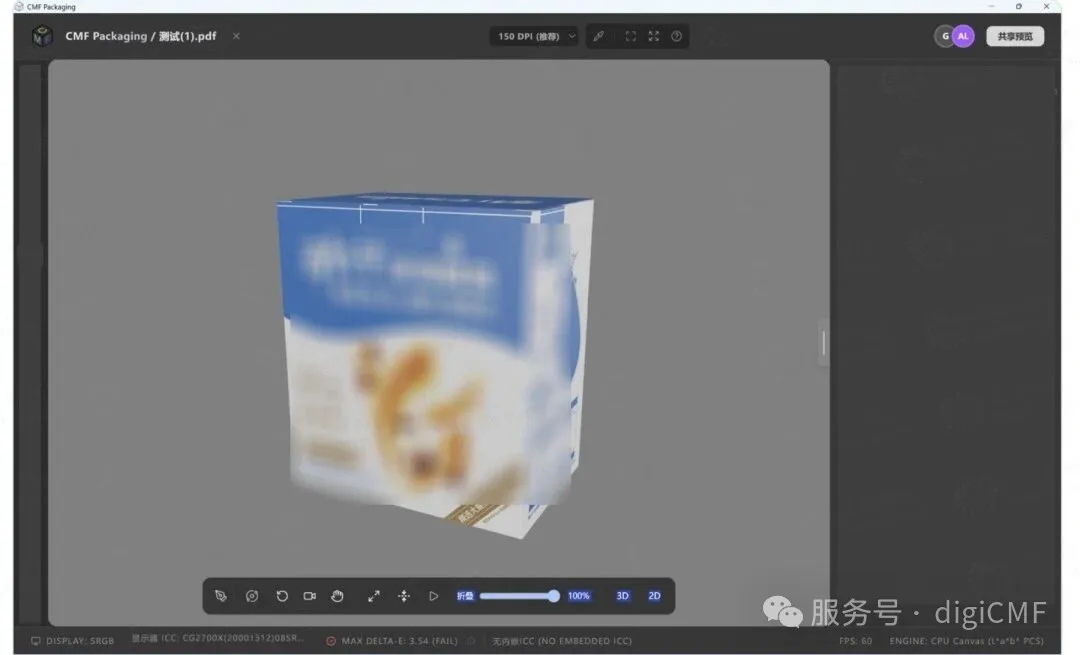
3D Packaging Simulation
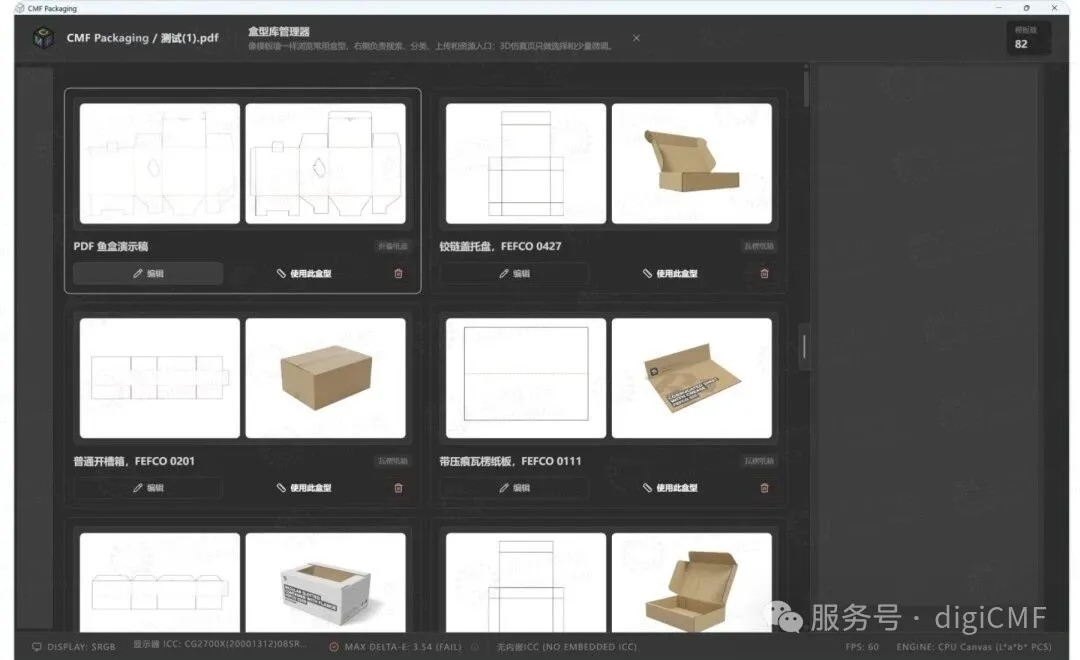
ColorSpace CMF Packaging Box‑Template Builder
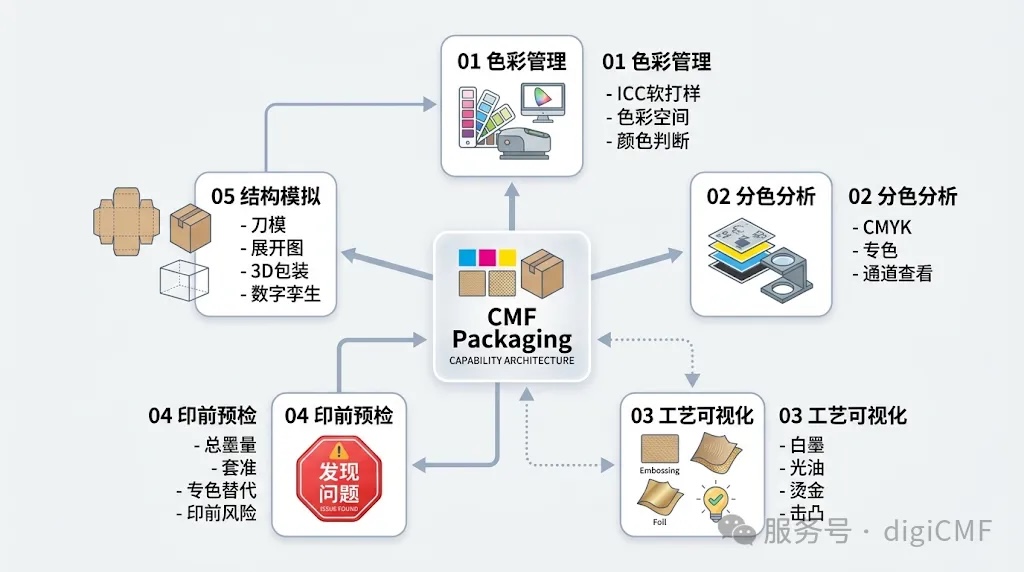
CMF Packaging connects interdependent approval stages for packaging projects. Teams no longer need to jump between disjointed tools; most pre‑production validations can be completed against one single source file.
⦁ Packaging Converters & Print Houses
Support client alignment, artwork sign‑off and pre‑production preflight checks; cut down rework caused by misinterpreted files.
⦁ Pre‑Press & Proofing Service Bureaus
Inspect PDF separations, color profiles and special‑effect data; complete essential file validation prior to output.
⦁ Brand Packaging Compliance Teams
Digitally evaluate packaging colors, spot‑colors, finishing effects and overall appearance, before ordering physical hard proofs.
⦁ Packaging Design & R&D Teams
Evaluate color, separations, special effects and box geometry in‑line with design work, to improve manufacturability of creative concepts.
It elevates workflows from “viewing an artwork file” to “validating a print‑ready packaging asset”.
|
Feature |
Standard PDF Viewer | CMF Packaging |
| Page & Layout View | ✔ | ✔ |
| PDF Separation View | Partial support | ✔ |
| Printing‑Channel Inspection |
Limited |
✔ |
| ICC Soft Proofing | - |
✔ |
| ICC Soft Proofing |
Limited |
✔ |
| Special‑Finishing Visualization | - |
✔ |
| Pre‑Flight Risk Check | - |
✔ |
| 3D Packaging‑Structure Preview | - |
✔ |
From PDF separation and ICC soft‑proofing, through spot‑color & special‑finishing visualization, preflight checking and 3D packaging rendering, CMF Packaging links together key pre‑production approval stages.
If you are seeking a professional packaging soft‑proofing and finishing‑visualization platform, CMF Packaging empowers your teams to boost review efficiency, reduce rework and resolve issues early in the workflow.
Lab Tour & Demo Booking
【Demo Booking】Or reach our sales team: sales@colorspace.com.cn

Follow ColorSpace to stay updated on industry insights, events and solution offerings.
Contact: sales@colorspace.com.cn
Phone: 15817270587
Tel: 400-886-3881(周一至周五 9:00~18:00)
Email: sales@colorspace.com.cn
Add: South Building #2-1101, Lv Di Qi Hang Office Building, Hou Sha Yu, Shun Yi District, Beijing, China